



Make Your XR App Streamable
Enable enterprise VR streaming for your XR app across all major AR and VR devices
FREE TRIAL
Download the SDK and Start Streaming Today!
The Hololight Stream SDK is free to explore with full functionality, to remove the watermark and use it commercially, reach out to our team.
Hololight Stream SDK
Use it for free
-
Download the Hololight Stream SDK Trial
-
Download and install the appropriate client for your device.
-
Start Streaming!
CONTACT US
Ready for Commercial Use?
Let's Talk!
Built something great with the SDK? Let’s make it official! Contact our team to remove the watermark and license Hololight Stream for commercial use.
FREE TRIAL
Download the SDK and Start Streaming Today!
The Hololight Stream SDK is free to explore with full functionality, to remove the watermark and use it commercially, reach out to our team.
- Download the Hololight Stream SDK Trial.
- Download and install the appropriate client for your device.
- Start streaming!
CONTACT US
Ready for Commercial Use?
Let's Talk!
Built something great with the SDK? Let’s make it official! Contact our team to remove the watermark and license Hololight Stream for commercial use.
Set up XR Streaming for your app in minutes
If you’re building XR applications in Unity or Unreal, you can add AR and VR streaming capabilities in minutes and go from screen to XR fast!
Simply integrate the Hololight Stream SDK into your project and then focus on your application while Hololight handles streaming and compatibility across all major AR and VR devices. Build for free with full functionality, and contact us when you’re ready for a commercial license.
FREE TRIAL
Download the SDK and Start Streaming Today!
The Hololight Stream SDK is free to explore with full functionality, to remove the watermark and use it commercially, reach out to our team.
- Download the Hololight Stream SDK Trial.
- Download and install the appropriate client for your device.
- Start streaming!
CONTACT US
Ready for Commercial Use?
Let's Talk!
Built something great with the SDK? Let’s make it official! Contact our team to remove the watermark and license Hololight Stream for commercial use.
ENGINES
Enable Enterprise VR Streaming Across Engines
The Hololight XR Streaming SDK natively supports Unity 3D and Unreal Engine.
Choose your engine below to view the User Guide on how to use Hololight Stream SDK with either engine:
GET STARTED WITH HOLOLIGHT STREAM SDK:
COMPATIBILITY
Work Seamlessly with Different AR and VR Headsets
FAQ
The Basics of Hololight Stream SDK for Unity and Unreal
-
How do I use the Hololight Stream SDK in Unity or Unreal?
Download the SDK, import it into your Unity or Unreal project, and follow the integration steps.
For a detailed step-by-step tutorial, see the videos above to guide you from download to running your app.
You can find a more detailed documentation in our Support Base:
-
What features are supported in Unreal and Unity?
Supported devices and features are listed in our Support Base. We’re constantly working to expand this list, and with every release, more features and devices are added.
-
What benefits does the full version of Hololight Stream SDK bring?
The Hololight Stream SDK Trial includes all features and has no limitations on functionality or performance. The only difference is a watermark displayed on the XR device. If you want to build and distribute your application without the watermark, you’ll need the full version.
Contact us for a commercial license!
-
Can I pixel stream Unreal apps to the Apple Vision Pro?
Yes, as soon as you have added our Hololight Stream SDK in your project you can build your app as a windows application and stream to the Apple Vision Pro.
-
What headsets can I stream to?
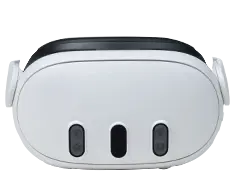
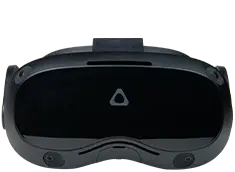
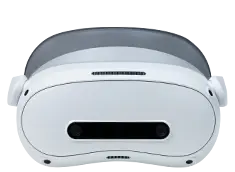
With the Hololight Space SDK in your Unity or Unreal project you can stream AR and VR apps to a any major XR device, such as:
- Apple Vision Pro
- PICO 4 Ultra Enterprise
- the Meta Quest family
- Snap Spectacles
- the HTC VIVE family
- Lenovo VRX
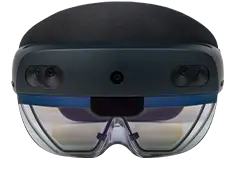
- Microsoft HoloLens 2
- Magic Leap 2
Download and install the right Hololight Stream client for your headset here.