
 Sandro Sailer
What's New in Hololight Stream 2026.1.0.0
 Phillipp Landgraf: Oct 8, 2026
Hololight Stream version 2026.1.0.0 is available. It is a broad release, with work going into stability, connection quality and the everyday...
Augmented Reality is already delivering measurable results in product development: from faster design cycles to fewer errors and lower costs. But successful adoption doesn’t start with devices or tools. It starts with choosing the right workflow, the right visualization approach, and a deployment method that fits your existing setup.
If you're evaluating augmented reality for manufacturing, engineering, or design collaboration, this guide shows how to get started without disrupting your current processes.
This guide focuses on augmented reality (AR), because it connects digital models to real environments, which is often essential in product development. However, many teams complement augmented with virtual reality (VR) or passthrough extended reality (XR), in which the real world is seen though cameras on the device. Because these technologies often work side-by-side in modern engineering workflows, we also reference VR or passthrough XR where it adds useful context.
AR is no longer an experiment. Engineering teams, planners, and operators across manufacturing, aerospace, and energy are already using immersive technologies to review designs, validate concepts, train teams, and reduce prototype costs. What used to feel futuristic is now a practical tool in day-to-day product development.
Yet many companies still hesitate, often because they assume implementing XR requires new workflows, new hardware fleets, or complex infrastructure. In reality, modern industrial AR and VR integrate cleanly with existing CAD and PLM systems, and can be deployed incrementally, without disrupting how engineers already work.
For a brief overview, discover how Engie Refrigeration uses XR across use cases and processes:
AR is already creating real business value today
Across our customers, we consistently see AR/VR delivering:
These aren’t theoretical gains, they’re results companies like ENGIE Refrigeration, Felder Group, LNS Group, BMW and others achieve using immersive visualization and XR streaming in their real development processes.
Why adoption has never been simpler
Three major shifts over the last 2 – 3 years have made AR practical for everyday engineering work:
1. The device landscape is mature
Engineering teams can choose the right tool for the job:
2. AR/VR streaming removes hardware and data barriers
Large CAD models and sensitive engineering data need no longer run on the AR headset itself. Where performance and visualization quality previously relied on the devices computing power, Hololights proprietary streaming technology renders everything on external hardware and sends only pixels to the headset.
This makes AR:
3. OpenXR improves compatibility and keeps AR future-proof
OpenXR is a shared industry standard that ensures AR/VR applications work across different headsets. This matters because devices change quickly, and companies don’t want to rebuild their workflows every time new hardware appears.
Hololight contributes to the OpenXR consortium, so our streaming technology is aligned with where the industry is going. For customers, this means less risk, easier integration, no vendor lock-in, and a smoother path as AR continues to evolve.
ACTION POINTS
Pick one workflow that would benefit immediately from clearer visualization or faster decisions.
Select the device that fits your use case to guarantee safe and reliable use in real workflows.
For example, get an overview of all the devices supported by Hololight.
Augmented Reality already delivers measurable value in product development, especially where teams rely on spatial understanding, physical prototypes, and frequent iteration. Two roles consistently create the fastest ROI, and they reinforce each other throughout the product lifecycle:
Role 1: Replacing Physical Prototypes with Virtual Full-Scale Models
This is where most companies see impact first, because virtual prototypes remove the need for costly and time-consuming physical prototypes. Teams can:
Leading companies have leveraged immersive prototypes for years to shorten design cycles and reduce the cost of rework.
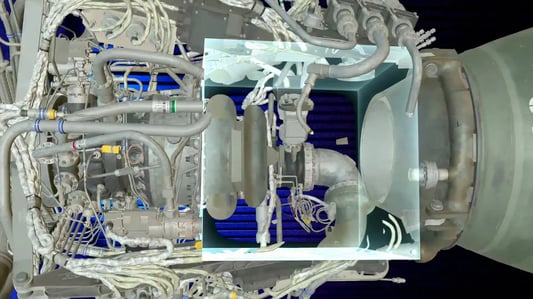
Role 2: Cross-Site Collaboration on 3D Models
Once prototypes are digital, the next major advantage is faster alignment across teams and locations.
Engineers, designers, manufacturing experts, and decision-makers can:
This approach extends naturally into quality assurance, supplier alignment, and factory planning and any other workflow where spatial clarity matters.

XR streaming makes both roles practical by letting teams use full-resolution 3D data securely, without extensive data preparation, and view it smoothly on any major AR headset.
ACTION POINT
Identify your first high-impact use case, a moment in your product development process where time, cost, or coordination issues create the biggest delays. This is typically where AR delivers the fastest ROI, whether through fewer physical prototypes, clearer design reviews, or smoother cross-site collaboration.
Choosing the right headset is not about selecting the most advanced device, it’s about matching the hardware to the real tasks, environments, and safety requirements of the people who will use it. There are several categories of AR capable devices each with their own set of advantages:
True AR (optical see-through)
Best for workflows where users must stay fully aware of their real surroundings:
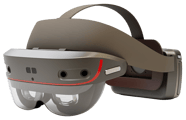
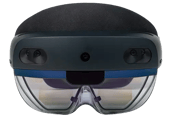
Example: HMS SiNGRAY G2, designed for industrial AR use cases, or the previously widely adopted Microsoft HoloLens 2.
Passthrough XR (video see-through)
Best for workflows where visual detail or immersive context is more important than an unfiltered real-world view:
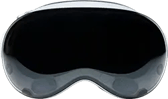
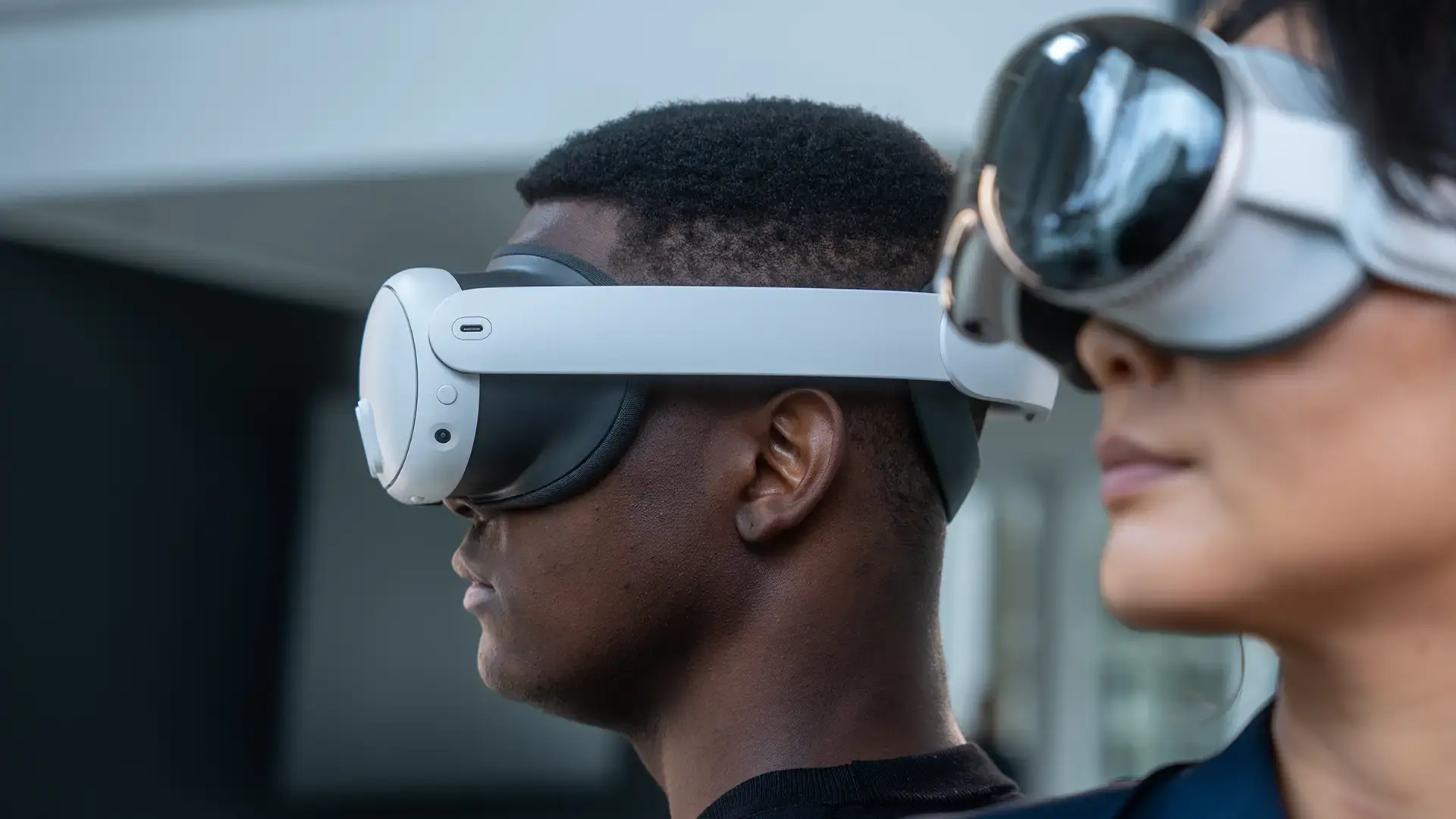
Examples: Apple Vision Pro, Meta Quest 2/3/3S, PICO 4 Ultra Enterprise

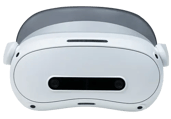
Regardless of device category, both true AR and passthrough XR face the same constraint: complex CAD data exceeds their native hardware limits. XR streaming solves this consistently: Models render on your own external hardware infrastructure (workstation, server, or cloud under your control) and only pixels are streamed to the device, so no data is processed or stored on the headset.
Promoting Acceptance While Choosing the Device
AR adoption succeeds when the people who use the technology feel included.
Before finalizing a device category:
This creates early buy-in and ensures the device selection reflects real work circumstances.
*TIP:
A simple way to let teams try AR and VR is with Hololight Stream Runtime. After a one-time installation, users can load their own models through any OpenXR-compatible app (for example Autodesk VRED, twinmotion, Blender or FreeCAD), press the XR button directly in the app and connect to all major XR headsets to view the model.
Hololight Stream Runtime delivers a realistic impression of the benefits of AR visualization through streaming without IT setup or data prep and is available as a free trial.
ACTION POINTS
To determine which device category fits your workflow and ensures safe, effective use, ask yourself:
Do operators need an unfiltered view of the real environment?
Is the use case hands-on, mobile, or safety-critical?
Does the workflow require high-fidelity visualization of complex CAD data?
Will the device be used mainly by engineers, assembly workers or stakeholders?
Combine user testing with the questions above. Let a small group of end-users compare clarity, comfort, and workflow suitability across device categories, and choose the option that supports their real tasks.
For many companies, some of the biggest questions around XR may not be about devices or use cases, they’re about practical implementation, IT requirements and data security. Industrial CAD models contain sensitive intellectual property, and traditional approaches often required data uploads, exports, or additional systems that increased risk and complexity.
Modern XR architectures remove these barriers. With the right setup, and integrated XR streaming, AR fits directly into your existing infrastructure without creating new security gaps or adding workload for IT teams.
Data Security: Keep Your 3D Data Where It Already Is
Industrial organizations cannot risk uploading proprietary models or duplicating them across external systems. A secure approach ensures that:
This is especially important for manufacturing, automotive, aerospace, and defense organizations that handle confidential or export-controlled data.
Hololight’s AR/VR streaming technology supports this by visualizing 3D data without compromising your data security measures, because only pixels are streamed to the device, and data never leaves your controlled environment.
IT Integration: Centralized Compute, Familiar Infrastructure
Introducing AR does not have to mean building a separate tech stack. With the right architecture:
This keeps AR aligned with how your organization already operates.
No Data Preparation: Use Your CAD and 3D Content As-Is
A major hidden cost in many AR solutions is data preparation: decimating models, converting file formats, or exporting simplified versions.
With modern XR streaming:
This removes one of the biggest blockers for widespread AR adoption and keeps teams focused on design, not manual data processing.
ACTION POINT
Define the key security and integration requirements for your AR use case, especially where your 3D data may be accessed, stored, or visualized. Choosing a streaming solution that keeps data within your existing infrastructure naturally supports security and scalability from day one.
When AR enhances engineering, design, planning, or assembly workflows, it can create measurable business impact. Companies using Hololight solutions – like Hololight Space, our software to view and interact with CAD data in AR and VR – have reported substantial improvements across their product development and operations.
The KPIs below illustrate what organizations achieved when integrating immersive visualization and XR streaming into real industrial processes.
1. Faster Design & Review Cycles
Teams move faster when they can:
Hololight customers report around 25% faster design cycles.
See how Engie Refrigeration uses AR in their design reviews:
Read more: How ENGIE Refrigeration Accelerated Design Reviews
2. Lower Production & Prototyping Costs
By validating decisions in AR/VR first, companies reduce:
Some organizations cut up to 50% of production-related expenses when integrating XR into early planning stages. Our customer LNS Group reports savings of up to 10.000$ per prototype:
Read more: How LNS Group Saves $10,000 Per Prototype
3. Higher Quality & Fewer Errors
Full-scale visualization and virtual overlays helps teams:
Hololight customers saw up to 90% fewer errors, catching issues virtually instead of late in production.
Felder Group is using Hololight Stream to aid workers on the shop floor:
Read more: How Felder Group Reduced Shop Floor Errors
ACTION POINT
Pick the KPI that aligns most with your current challenges, faster cycles, fewer errors, reduced travel, or lower costs, and use it as the baseline. A clear metric makes ROI visible from the start.
The most effective AR/VR rollouts start with one practical workflow that delivers clear value, and they scale after real users experience the benefits. Once engineers, designers, or frontline workers see their own 3D content in AR/VR and understand how simple it is to use, new ideas appear quickly:
Adoption grows naturally when the first experience is real, relevant, and frictionless.
That’s why starting small is actually the fastest way to scale.
How XR Streaming Removes the Usual Barriers to Scaling
Traditional AR/VR deployments tend to stall because teams must create reduced model versions, convert files or export different formats and adjust workflows for each device.
With streaming, none of this is necessary. Scaling becomes straightforward because:
This removes the hidden cost and complexity that typically slows XR adoption.
Who Should Drive AR in the company as It Scales?
Getting started with AR is easy, but evolving and scaling it requires more attention. It takes executives with decision-making authority who are committed to AR and have the foresight to integrate the technology into processes at key points across the enterprise.
As the XR strategy expands across the organization, it helps to have a clear owner, this will help establish and drive adoption across the company.
Look for leadership skills, management experience, a basic technical understanding of 3D content and environments, knowledge of XR hardware and software, and digital transformation experience.
ACTION POINT
Now you've identified your first high-impact workflow and understand which devices and data approach fit your needs, the next step is simple: talk to us!
We can turn your first idea into a concrete implementation plan, review your use case, and help you move from initiating AR to actually benefiting from it.
 Phillipp Landgraf: Oct 8, 2026
Hololight Stream version 2026.1.0.0 is available. It is a broad release, with work going into stability, connection quality and the everyday...
 Phillipp Landgraf: Oct 1, 2026
Remote rendering and pixel streaming are both used to describe enterprise XR streaming infrastructure, including by vendors and in technical...
 Sandro Sailer: Sep 24, 2026
For most enterprise teams, XR device management means one thing: a way to control their headsets. Mobile device management (MDM) tools like ArborXR,...